Is an AI receptionist worth it for a small business?

The one-line test
An AI receptionist is worth it when (missed calls a month) × (share that would have booked) × (value of a job) is bigger than the plan price. That is it. No conversion-rate studies needed: you know your own numbers better than any survey.
Brands quote big statistics about unanswered calls (CloudTalk's page says 62% of business calls go unanswered). Treat those as marketing until you check your own call log. The honest test is your log.
Three worked examples
Using real plan prices checked on November 11, 2026:
- A solo plumber misses 15 calls a month on jobs. If 1 in 5 would have booked a $250 call-out, that is 3 jobs, $750. Upfirst Premium costs $59.95 for 90 calls. Worth it many times over.
- A hair salon misses 30 calls on busy Saturdays; 1 in 3 wanted a $60 appointment: $600. Rosie costs $49, but direct booking needs Scale at $149. Still worth it.
- A consultant gets 10 calls a month and misses 2, both existing clients who leave a voicemail anyway. A $50 to $100 plan buys little here. Not worth it, unless you want after-hours coverage for peace of mind.
What you get besides answered calls
The less obvious value is time. Every call comes with a transcript and a summary; spam gets filtered (Upfirst and Smith.ai both say they block known spam); and the receptionist does not interrupt you mid-job. For owners who answer while driving or with their hands full, that alone is often why they keep paying.
When it is not worth it
- You rarely miss calls, or you already have someone answering.
- Most callers need advice only you can give.
- Your calls are long and sensitive, and a fumble would cost a client (then look at a hybrid like Smith.ai, or live receptionists like Ruby).
- You won't spend 30 minutes setting it up and reading the first week of transcripts. An untrained receptionist is worse than voicemail.
How to try it without risk
Use a free trial on real calls before you commit. Upfirst gives 14 days or 100 calls without a card; CloudTalk 14 days with 50 minutes; Rosie, Dialzara and My AI Front Desk 7 days; Smith.ai has a free plan with 25 calls a month. Forward only after-hours calls at first, read every transcript, then widen it. Our small-business ranking lists the plans worth trying first.
Count your missed calls in ten minutes
You don't need software for this. Open your phone's recent calls (or your carrier's online call log) and scroll back four weeks. Count three things: calls marked missed, calls that went to voicemail, and voicemails nobody returned within a day. Then look at the times. Missed calls usually cluster: early morning, lunch, the last hour of the day, Saturdays. If 80% of your misses happen in two time slots, you may only need the receptionist for those slots, which keeps you on the smallest plan.
Be honest about callers who hang up without leaving a message. Plenty of people never leave voicemail. Those are the calls an always-on receptionist catches, and the ones your log shows as a number with no name.
What to watch in your first 30 days
Once it is live, four numbers tell you if it is paying off:
- Calls answered that you would have missed (the dashboard shows the time of each call).
- Appointments booked or quote requests captured, and how many turned into paid work.
- Transfers to you, and whether they were the right ones.
- Hang-ups in the first ten seconds. A lot of those means the greeting is too long or sounds off.
If after a month the jobs you can trace back to answered calls are worth less than the plan, cancel. Every plan in our comparison except a few specialist ones is month to month. If they are worth more, which is what usually happens for trades and salons, you just found the cheapest hire you will ever make. Our cost guide helps you pick the plan size.
The calls it handles best, and the ones to keep
An AI receptionist earns its money on the calls that interrupt you without needing you: opening hours, "do you cover my area?", "how much for a quote?", booking and rescheduling, and the 7 p.m. caller who would otherwise try the next business on the list. It also takes clean messages, with the caller's name, number and reason, instead of a voicemail you have to replay three times.
Keep for yourself the calls where your judgment is the product: a client weighing a big job, a complaint, a negotiation. Set those as transfer rules from day one. The receptionist then works like a good assistant: it handles the routine and hands you the calls that matter, already summarized. That split is why owners who try it for a month rarely go back to voicemail.
If you already have someone on the phones
Then the question changes. It is no longer "AI or nobody", it is "what happens when Jess is on another call, at lunch or on vacation?". For a lot of offices that is 20 to 30% of the day, and it is exactly when the phone rings hardest. Point only those calls at the receptionist: overflow after four or five rings, lunch, evenings and weekends. Your person keeps the regulars and the tricky calls; the receptionist catches the rest and leaves a tidy summary for the morning. On that kind of volume, a small plan is usually enough, which makes the math even easier. Our AI vs human receptionist guide covers the hybrid setup step by step.
Our picks
From our main ranking and the comparison tool, prices checked November 11, 2026:
Upfirst
Our pickSmall businesses that want booking, warm transfers and 35+ languages on the cheapest plan
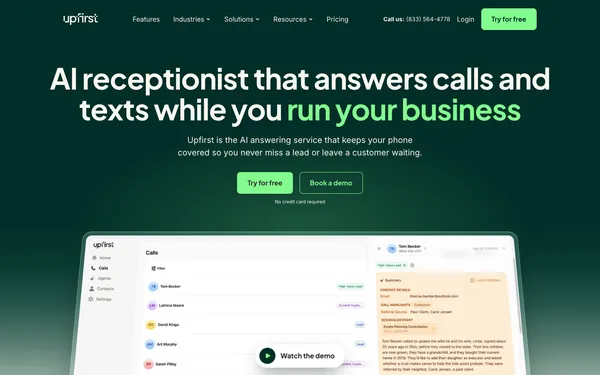
$24.95/mo for 30 calls
Checked Nov 11, 2026
Rosie
Solo owners who want 250 minutes for $49 and a dead-simple setup
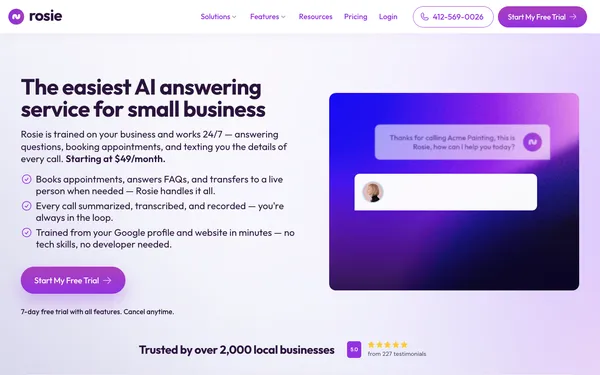
$49/mo for 250 minutes
Checked Nov 11, 2026
Goodcall
Shops with long calls: billed per unique customer, never per minute
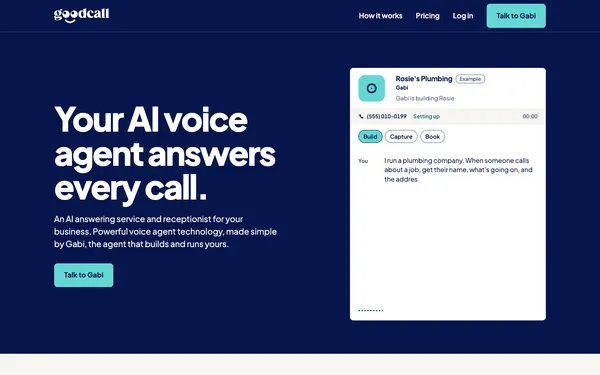
$79/mo for 100 unique callers
Checked Nov 11, 2026
FAQ
Is an AI receptionist worth it for a small business?
Yes when missed calls cost you paid work: at $50 to $100 a month, one recovered job usually covers it. No if you rarely miss calls or most calls need you personally.
How much does it cost to try?
Nothing: several services offer trials (Upfirst 14 days or 100 calls without a card, CloudTalk 14 days, Rosie 7 days) and Smith.ai has a free 25-call plan.
Will customers hang up on an AI receptionist?
Some will, especially if it is slow or cannot transfer. Choose a plan with transfers and keep the greeting short and honest.
Do I need a new phone number?
No. With every service we compared you forward your existing number to the receptionist, so customers keep calling the number they know. Some services also give you a new local number if you want one.
How fast does an AI receptionist pay for itself?
Often in the first month for trades, salons and clinics that miss calls: one or two recovered jobs cover a $50 to $100 plan. Track booked jobs from answered calls for 30 days to know for sure.
What is the cheapest AI receptionist worth using?
In our budget ranking, Upfirst leads, with Rosie the best price for a 200-minute month among ready-made services.
Written by Dana Whitfield, editor, phone and front-desk software at Best AI Receptionist. Some links are affiliate links: if you sign up through them, we may earn a commission at no extra cost to you. It never changes our scores. Disclosure · How we score.
Keep reading: AI receptionist cost · AI vs human receptionist · How to choose