How to choose an AI receptionist: 9 questions to ask first

1. What meter is running?
Minutes, calls, unique customers or pay-as-you-go. Short calls favor minute bundles, long calls favor per-call or per-customer pricing. Our cost guide prices all 12 services on the same 200-minute month.
2. Is booking on the plan you will buy?
This is the most common trap. Rosie books directly into your calendar only from $149; Dialzara from $99; Upfirst, Smith.ai and My AI Front Desk include it on their entry plans. If appointments are the point, filter on it first.
3. Can it transfer, and how?
A blind transfer just forwards the call. A warm transfer briefs your colleague first. Live human backup (Smith.ai) means a staffed receptionist takes over. Dialzara's $29 plan only does blind transfers; Rosie's transfers start on Scale.
4. Which languages?
English and Spanish is standard. Upfirst states 35+, Phonely 50+, CloudTalk 70+, RingCentral 10+ with automatic detection. If a quarter of your callers speak another language, this matters more than a few dollars.
5. Can you try it on real calls?
Free plan (Smith.ai), long trial (Upfirst 14 days or 100 calls, CloudTalk 14 days), short trial (Rosie, Dialzara, My AI Front Desk: 7 days), demo agent (Goodcall) or demo call only (Sameday). Prefer a trial that lets you forward real calls.
6. Who sets it up?
Self-serve tools train from your website in minutes (Rosie scans your Google Business Profile). Developer platforms like Retell AI need someone to build the flow. Specialists like Sameday set it up with you. Be honest about your time.
7. Does it talk to your tools?
Zapier covers a lot. Native links (CloudTalk with HubSpot, Pipedrive and Salesforce; Sameday with ServiceTitan; Smith.ai and Upfirst with Clio) save you a fragile chain of automations.
8. Do you need HIPAA?
Medical and dental offices: only shortlist services that state HIPAA support, and ask for the BAA in writing. Several only sign one on Enterprise (Upfirst, Phonely). See our medical office ranking and the dental office checklist.
9. What happens when you go over, or want out?
Read the overage line and the cancellation terms. Rosie moves you to the next plan; Smith.ai asks 30 days' notice; CloudTalk's AI Specialist tiers have a minimum term; most others are month to month.
A shortlist by business type
If you want a head start, this is where the nine questions usually land:
- Trades and home services (plumbers, HVAC, electricians): per-call or per-customer billing and warm transfers. Look at Upfirst, Goodcall, and Sameday AI if you run ServiceTitan or Housecall Pro. Ranking: home services.
- Salons, studios, clinics: booking on the entry plan and short calls. Upfirst, My AI Front Desk, or Rosie if you can live with booking links on the $49 plan.
- Law firms: long intake calls, Clio, and a person on hard calls. Smith.ai and Upfirst. Ranking: law firms.
- Sales teams on a CRM: CloudTalk, for its native HubSpot, Pipedrive and Salesforce links.
- You have a developer: Retell AI, the cheapest per minute and the most flexible.
Questions to ask during the trial
Call your own number from a different phone and play a few characters. A customer who mumbles their address. Someone who asks for a price you never gave. A caller who says "just put me through to a person". Then ask the vendor, by email so you have it in writing:
- What happens to call recordings and transcripts, and for how long are they kept?
- Can I export my data if I leave?
- Which features on your pricing page need a higher plan?
- Is there a fee on top of the plan price (taxes, compliance fees, number fees)?
A vendor that answers clearly and fast is a good sign for the day something breaks. When you are ready, our comparison tool puts your top three side by side.
Mistakes we see all the time
- Buying on the headline price. A $29 plan with 60 minutes is not cheaper than a $49 plan with 250 if you get 80 calls a month. Price your real month first.
- Forgetting the fee line. CloudTalk adds an 11% compliance and administrative fee for US and Canada customers. Small, but it belongs in the comparison.
- Paying annually on day one. The 20% discount is real. So is the risk of committing to a plan size you guessed.
- Skipping the transcripts. The first week tells you everything. Owners who read it end up with a receptionist that sounds like their business; owners who don't end up switching.
- Turning it on for every call at once. Start with after-hours and overflow, then widen.
Your decision in five minutes
- Write down your monthly calls and average length.
- Pick the billing model that fits: per call if calls are long, minutes if they are short, per customer if people call back often.
- Cross out every plan where booking or transfers are missing at the price you will pay.
- Keep two or three that cover your languages and tools.
- Start the longest free trial among them, on real calls.
Most readers end up with two finalists from our main ranking. Read both reviews, then let the trial pick the winner.
A word on voices and personality
It is tempting to spend an afternoon picking a voice. Don't. Callers care far more about speed and correct answers than about the voice itself. Pick a clear, calm voice that matches your business (Dialzara offers 50+, Phonely premium voices on every plan, Sameday even clones a voice on its Scale plan), then spend the saved time on your answers. What makes a receptionist sound like your business is the wording: your name for services, your prices, the way you say no to a job outside your area. Write those like you would say them on the phone, short and friendly, and the voice will do the rest.
Our picks
From our main ranking and the comparison tool, prices checked November 11, 2026:
Upfirst
Our pickSmall businesses that want booking, warm transfers and 35+ languages on the cheapest plan
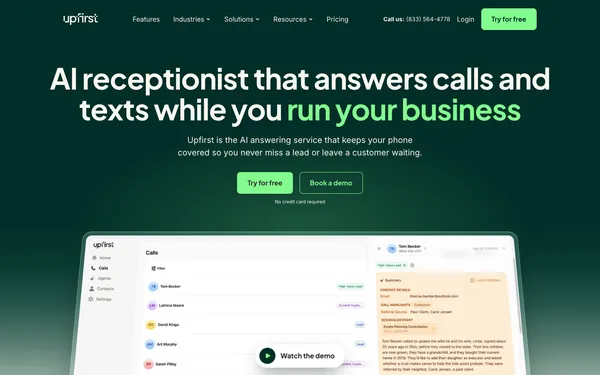
$24.95/mo for 30 calls
Checked Nov 11, 2026
CloudTalk
Sales and support teams that want 70+ languages and real CRM integrations
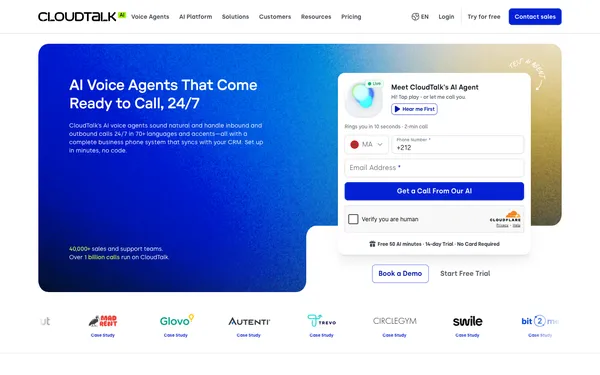
$99/mo for 200 minutes
Checked Nov 11, 2026
My AI Front Desk
Owners who want calls, texts, web chat and a simple CRM in one $99 plan
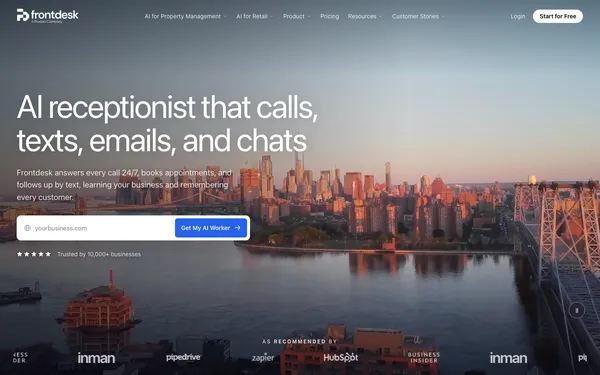
$99/mo for 200 minutes
Checked Nov 11, 2026
FAQ
What is the most important feature in an AI receptionist?
The one you will pay for: usually appointment booking or call transfer. Check it is on the plan you will buy, not only on a higher tier.
Should I pick per-minute or per-call pricing?
Per-minute if your calls are short, per-call (or per-customer) if they run long.
How long does setup take?
Self-serve services say minutes: Rosie about 10, My AI Front Desk 5, CloudTalk under 5. Expect another hour to tune answers after reading your first transcripts.
Is the cheapest AI receptionist good enough?
Often, yes, as long as it has the feature you need on that plan. Upfirst Starter ($24.95, 30 calls) includes booking and warm transfers; Dialzara Business Lite ($29) only does blind transfers and no calendar sync. Check the plan, not the brand.
What are red flags when choosing an AI receptionist?
A pricing page with no per-minute or per-call overage rate, booking or transfers locked to plans far above the one you need, no trial or demo on real calls, and no clear answer on data retention.
Can I keep my phone number?
Yes with every service we compared: you forward your existing number, and some (Upfirst) will port it for free.
Written by Dana Whitfield, editor, phone and front-desk software at Best AI Receptionist. Some links are affiliate links: if you sign up through them, we may earn a commission at no extra cost to you. It never changes our scores. Disclosure · How we score.
Keep reading: AI receptionist cost · AI vs human receptionist · Is it worth it?